


Commercial security camera systems help enterprises, schools, government agencies, and multi-site organizations protect their facilities while gaining valuable operational insights. This guide covers how these systems work, the key components you need, different camera types, and how to choose a platform that delivers both security and business intelligence.
What are commercial security camera systems?
Commercial security camera systems are networked surveillance solutions that capture, store, and analyze video footage across business locations. Unlike basic home cameras, these systems connect multiple devices through a central platform that can monitor dozens or hundreds of camera feeds simultaneously.
These systems have evolved far beyond simple recording. Early commercial cameras required someone to sit and watch monitors or review tapes after something went wrong. Today's platforms use artificial intelligence to watch footage constantly, identify specific events, and alert the right people immediately.
Modern commercial camera systems serve two distinct purposes. They protect against theft, vandalism, and safety incidents. They also generate business intelligence by analyzing customer behavior, employee workflows, and operational patterns. This dual function transforms cameras from a security expense into a tool that improves how businesses operate.
- Security function: Detect threats, document incidents, and deter criminal activity
- Intelligence function: Analyze foot traffic, monitor compliance, and identify operational improvements
- Integration function: Connect with access control, point-of-sale, and building management systems
How do commercial security camera systems work?
Commercial camera systems follow a straightforward path from capture to insight. Cameras record video and send it through your network to a storage location, either on-site servers or cloud infrastructure. Software then processes that footage to identify events that matter to your business.
The capture stage uses IP cameras, which are digital cameras that connect directly to your network. These cameras encode video into data packets and transmit them using standard internet protocols. This approach allows cameras to be placed anywhere your network reaches and enables remote viewing from any location.
Processing happens either at the camera itself, on local servers, or in the cloud. Edge processing means the camera analyzes footage internally before sending only relevant clips, cutting cloud transmission costs by 40–60%. Cloud processing sends all footage to remote servers where powerful computers handle the analysis. Many systems use a hybrid approach, performing basic detection at the camera and deeper analysis in the cloud.
The final stage delivers insights to you through dashboards, mobile apps, and automated alerts. When the system detects something matching your configured rules, it sends notifications immediately. You can also search historical footage using specific criteria like "show me all vehicles that entered the parking lot yesterday between 6 PM and midnight."
Key components of a commercial security camera system
Every commercial system relies on five core components working together. Understanding each element helps you evaluate options and ensures your system delivers both security and business value.
| Component | What It Does | Why It Matters |
|---|---|---|
| IP cameras | Capture video at various resolutions and angles | Quality of footage determines what you can identify and analyze |
| Network infrastructure | Transmit data between cameras and storage | Bandwidth and reliability affect real-time viewing and alert speed |
| Storage solution | Archive footage for retrieval | Retention period and accessibility impact investigations and compliance |
| Analytics engine | Process video using AI | Transforms raw footage into actionable alerts and insights |
| User interface | Display information through dashboards and apps | Determines how easily your team can use the system effectively |
The analytics engine represents the biggest advancement in modern systems, part of an AI video analytics market growing at 33.2% CAGR according to Research and Markets. Traditional setups stored footage and left humans to find relevant moments manually. Today's analytics engines identify specific people, vehicles, and behaviors automatically. They can search through weeks of footage in seconds to find exactly what you need.
Your network infrastructure deserves careful attention because cameras generate substantial data. A single high-resolution camera can produce several gigabytes per day. Multiply that across dozens of cameras, and you need network capacity that handles the load without affecting other business operations.
Types of commercial security cameras
Different camera types serve different purposes, and most businesses need a mix to achieve comprehensive coverage. Selecting the right combination ensures you capture what matters without overspending on unnecessary equipment.
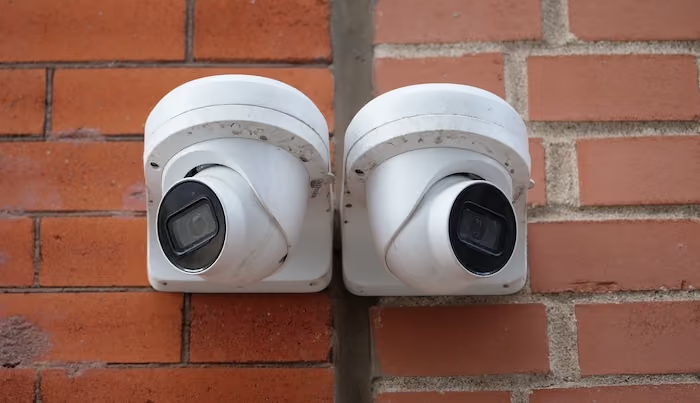
Fixed dome cameras mount flush against ceilings with a discreet profile that blends into most environments. Their enclosed housing makes it difficult to tell exactly where the lens points, which adds a psychological deterrent. These cameras work well for monitoring specific zones like entrances, checkout areas, and hallways.
Pan-tilt-zoom cameras, called PTZ cameras, offer remote-controlled movement and optical zoom. Operators can follow activity across large areas and zoom in to examine details. These cameras excel in parking lots, warehouses, and other open spaces where you need flexibility to track movement.
Thermal cameras detect heat signatures rather than visible light. They see clearly in complete darkness and can identify people or vehicles at long distances based on body heat. Perimeter security and industrial monitoring represent their primary applications.
Multi-sensor cameras combine several lenses in a single housing to capture panoramic views. A single 360-degree camera can replace four or more fixed cameras while eliminating blind spots. These reduce installation costs and simplify coverage in open floor plans.
Specialized cameras address specific needs that standard models cannot meet. License plate recognition cameras capture plates clearly even on moving vehicles. People-counting cameras track foot traffic with high accuracy. Choosing specialized cameras for specific tasks often delivers better results than expecting general-purpose cameras to do everything.
Real-time monitoring and alerts
Real-time monitoring means your system actively watches for specific events rather than passively recording everything. This shift from reactive to proactive changes how quickly you can respond to situations.
You define what events matter through rules and triggers. The system continuously compares what cameras see against these rules. When something matches, it sends an alert immediately through your preferred channels. This might be a push notification on your phone, an email, or a message to your security team's dashboard.
Effective alerts include context that helps you respond appropriately. A good alert shows you a video clip of what triggered it, not just a text message saying "motion detected." You should be able to assess the situation in seconds and decide whether it requires action.
- Loitering detection: Alert when someone remains in a specific area longer than normal
- Line crossing: Notify when anyone enters a restricted zone or crosses a boundary
- Object removal: Flag when something disappears from a monitored area
- Unusual activity: Identify behavior patterns that differ from normal operations
The key to useful alerts is avoiding false positives that train people to ignore notifications. Modern AI-powered systems distinguish between a person approaching a door and a shadow moving across the frame. Platforms like Lumana let you tune detection sensitivity and define precise trigger conditions so alerts remain meaningful.
Video analytics and business intelligence
Video analytics transform surveillance footage into insights that inform decisions across your organization. This capability extends the value of cameras far beyond security into operations, marketing, and management.
Behavior analysis examines how people move through spaces and interact with their environment. Retailers use this to understand which displays attract attention and which aisles customers avoid. The same data that helps prevent theft also reveals opportunities to improve store layouts and product placement.
Occupancy tracking counts people in specific areas and monitors how that number changes over time. You can identify peak hours, measure how long customers spend in different zones, and ensure you have adequate staffing when traffic increases. This data supports decisions about operating hours, employee scheduling, and space utilization.
Compliance monitoring verifies that employees follow required procedures. Manufacturing facilities confirm workers wear proper safety equipment. Restaurants verify food handling protocols. Healthcare facilities document that staff follow hygiene requirements. Video evidence supports training programs and protects against liability claims.
Historical trending reveals patterns that only become visible over weeks or months. You might discover that theft incidents cluster on specific days or that customer traffic drops whenever a particular employee works the entrance. These insights would be impossible to identify by watching live footage but emerge clearly from analyzed data.
Integration with other business systems
Modern camera systems connect with other software and hardware to create unified platforms. Integration multiplies the value of video data by combining it with information from other sources.
Access control integration links video footage directly to entry events. When someone badges into a restricted area, the system automatically saves the corresponding video clip tagged with their identity. Investigations that once required cross-referencing multiple systems now happen in a single interface.
Point-of-sale integration connects transaction data with video from checkout areas. You can click on any transaction and immediately see the corresponding footage. This simplifies investigating disputed charges, identifying internal theft, and understanding customer interactions during purchases.
Inventory management integration helps identify shrinkage causes. When stock counts don't match records, you can review footage from relevant areas during the time period when discrepancies occurred. Visual evidence reveals whether losses stem from theft, damage, or process errors.
Building management integration coordinates security with facility operations. Cameras can trigger lighting changes, lock doors, or adjust HVAC based on occupancy. The same sensors that detect intruders can also optimize energy usage by identifying unoccupied areas.
Use cases across industries
Different industries leverage commercial camera systems in distinct ways, though the underlying technology remains similar. Understanding how businesses like yours use these systems helps identify opportunities beyond basic security.
Retail operations use cameras to monitor customer flow, detect theft attempts, and analyze shopping patterns — critical given that U.S. retailers lost $90 billion to inventory shrink according to the Appriss Retail 2026 Total Retail Loss Benchmark Report. Heat maps show which areas attract the most attention. Dwell time analysis reveals how long customers consider products before purchasing. Queue monitoring ensures checkout lines don't grow too long.
Manufacturing facilities focus on safety compliance and process verification. Cameras confirm workers wear required protective equipment. Video documents that quality control procedures happen correctly. Incident footage protects against fraudulent injury claims and supports continuous improvement efforts.
Healthcare environments balance security with patient privacy. Cameras monitor entrances, parking areas, and public spaces while avoiding patient care areas. Video verifies that medication handling follows protocols and documents visitor access to sensitive areas.
Logistics operations track inventory movement through warehouses. Cameras verify that loading procedures happen correctly and document the condition of shipments. Video evidence resolves disputes about damaged goods and identifies efficiency improvements in picking and packing workflows.
Choosing the right commercial security camera system
Selecting a system requires matching capabilities to your specific objectives rather than comparing technical specifications alone. The right choice addresses both immediate security needs and longer-term intelligence goals.
Start by clarifying what you need the system to accomplish. Some organizations primarily want security monitoring and incident documentation. Others seek operational insights that improve efficiency. Most benefit from systems that deliver both, but understanding your priorities helps focus evaluation.
- Coverage assessment: Map every area requiring monitoring and determine what level of detail you need
- Analytics requirements: Identify specific insights you want, not just generic motion detection
- Integration needs: List existing systems the cameras should connect with
- Scalability expectations: Consider how your needs might grow over the next several years
- User capabilities: Evaluate who will use the system and what training they need
Camera-agnostic platforms offer significant advantages because they work with equipment from multiple manufacturers. You can keep existing cameras that still function well while adding new models with better capabilities. This flexibility protects your investment and avoids vendor lock-in.
Lumana's platform exemplifies this approach by working with standard IP cameras while adding advanced AI analytics. Organizations can upgrade their intelligence capabilities without replacing functional hardware. The system grows with your business, adding cameras and locations without requiring a complete infrastructure overhaul.
Frequently asked questions
What is the difference between commercial and residential security camera systems?
Commercial systems support more cameras, offer advanced analytics, integrate with business software, and provide centralized management across multiple locations. Residential systems typically handle fewer cameras with simpler features designed for homeowner use rather than business operations.
How do AI-powered cameras reduce false alerts compared to basic motion detection?
AI analyzes what triggered motion rather than simply detecting movement. The system distinguishes between a person approaching a door and a tree branch swaying in the wind. This intelligence dramatically reduces nuisance alerts that train people to ignore notifications.
Can I keep my existing cameras when upgrading to a smarter system?
Yes, if your current cameras use standard IP protocols. Platforms like Lumana work with cameras from various manufacturers, allowing you to add advanced analytics without replacing functional equipment. You can upgrade gradually, adding new cameras only where current ones fall short.
How long should businesses retain security camera footage?
Retention requirements vary by industry and jurisdiction. Most businesses keep footage for 30 to 90 days, though regulated industries may require longer periods. Cloud storage makes extended retention practical without investing in additional on-site hardware.
What network bandwidth do commercial camera systems require?
Bandwidth needs depend on camera count, resolution, and frame rate. A typical high-resolution camera uses 2-4 Mbps for continuous streaming. Systems that process video at the edge and transmit only relevant clips require significantly less bandwidth than those streaming everything to the cloud.



.jpg)