This guide helps enterprise and public-sector security teams evaluate AI video search platforms through structured pilot testing, covering the top solutions on the market, critical testing dimensions, and a practical framework for measuring results and making informed decisions.
Top AI video search platforms for pilot testing
AI video search lets security teams find specific footage using natural language queries, visual matching, and smart filters instead of manually reviewing hours of recordings. When evaluating platforms for a pilot, you need to understand what each solution offers and how it fits your operational needs.
The platforms below represent leading options in the AI video search market, each with distinct approaches to search functionality, deployment models, and pricing structures.
1. Lumana
Lumana delivers enterprise video intelligence through its proprietary VIA-1 continuous-learning model, designed to work with any camera without requiring hardware replacement. The platform combines real-time alerting, advanced search capabilities, and compliance-grade security into a unified system.
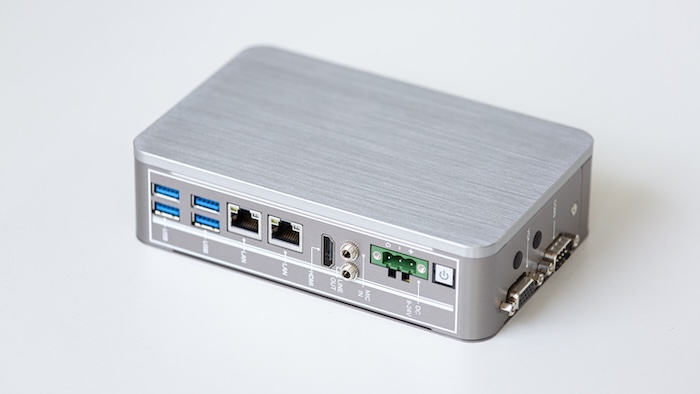
Lumana reduces false alerts by up to ninety percent while enabling natural-language and text-based video search. The system processes video intelligence at the edge via its Core component, which functions as either an NVR replacement or a companion to existing infrastructure.
Main features:
- Real-time alerts for tampering, persons of interest, license plates, and loitering
- Fast multi-camera investigations with detailed search parameters
- Camera-agnostic deployment supporting unlimited cameras and users
- Hybrid-cloud architecture with remote access and automatic updates
- Per-camera training control for continuous model refinement
Ideal for: Organizations with mixed camera environments, enterprises prioritizing false-alert reduction, teams requiring SOC 2 Type II, ISO/IEC 27001:2022, HIPAA, and GDPR compliance, and deployments spanning multiple sites.
Pricing: Contact Lumana for custom enterprise quotes. Free trial available to qualified organizations.
2. Camio
Camio transforms real-time video into actionable intelligence while avoiding proprietary lock-in. The platform supports integration with existing cameras, NVRs, and VMS infrastructure through its containerized pipeline running on Kubernetes.
Custom detector training using your own video allows rapid deployment of organization-specific detection models alongside standard object classification.
Pricing: Usage-based subscription model with consultative pricing and Bring Your Own Storage options.
3. BriefCam
BriefCam, now integrated within Milestone Systems, provides video analysis through its REVIEW, RESPOND, and RESEARCH modules. The patented VIDEO SYNOPSIS technology enables rapid video review and multi-camera search with granular attribute filtering.
Pricing: Quote-only via authorized Milestone integrators with multiple editions available.
4. Vaidio
Vaidio delivers real-time alerts and sub-two-second forensic video search across more than thirty AI analytics capabilities. The platform supports agentic workflows powered by large language models with semantic search capabilities.
Pricing: Per-camera software licenses with one-, three-, and five-year subscription options in Essentials and Advanced tiers.
5. Eagle Eye Networks (now Brivo Eagle Eye Video)
Eagle Eye Networks merged with Brivo in December 2024, creating a unified cloud platform combining video surveillance and access control. The platform emphasizes cyber-secure cloud video with AI analytics.
Pricing: Per-camera subscription model with optional add-ons and multi-year discounts.
6. Genetec Security Center SaaS
Genetec offers a unified security platform integrating video surveillance, access control, license plate recognition, and communications. The cloud subscription provides per-connection pricing with Standard and Premium tiers.
Pricing: Per-connection annual subscription with published MSRP across two feature tiers.
7. Milestone XProtect
Milestone Systems provides scalable VMS solutions ranging from Express+ to Corporate editions. The platform supports more than seventeen thousand officially supported devices with advanced features including video wall management.
Pricing: Quote-only via authorized channel partners with subscription and perpetual license options.
8. Avigilon Unity
Avigilon, part of Motorola Solutions, delivers AI-powered video management in on-premises and cloud-native configurations. The platform integrates video, access control, and intrusion detection with appearance search and license plate recognition.
Pricing: Quote-only via certified partners with three software editions available.
9. Ambient AI
Ambient AI focuses on agentic physical security through its Foundation VMS, combining situational awareness with advanced forensics. The platform uses edge-optimized reasoning through its Pulsar vision-language model.
Pricing: Enterprise quote-based pricing with no public pricing available.
10. Spot AI
Spot AI provides AI agents that see, reason, and act in real time across existing ONVIF and RTSP camera infrastructure. The platform emphasizes hybrid edge-to-cloud architecture with automated deterrence capabilities.
Pricing: Per-location subscription with free thirty-day trial and Core and Pro software tiers.
Critical testing dimensions for AI video search
A comprehensive pilot evaluation requires testing across multiple dimensions that reflect real-world operational requirements. These ten areas represent the most critical factors for assessing platform performance.
Search speed and accuracy
Search speed measures how quickly the platform returns relevant results when you look for specific objects, behaviors, or people. Test natural-language queries, visual similarity matching, and attribute-based filters to understand response times.
Accuracy means the platform returns footage you actually need without excessive false positives that waste investigator time. Document both the time required to return results and how relevant those results are to your original query.
False alert reduction
False alerts are notifications triggered by non-threatening events like weather changes, shadows, or lighting shifts — up to 98% of alarm activations are false. Test alert accuracy by comparing the volume of alerts generated against genuine security events requiring human response.
- Alert fatigue impact: A platform generating hundreds of false alerts daily will overwhelm operators and reduce trust in the system
- Operational efficiency: Fewer false alerts means your team spends time on real threats instead of dismissing nuisance notifications
Camera compatibility and flexibility
Camera compatibility determines whether the platform works with your existing equipment without requiring replacement or specialized hardware. Evaluate support for various manufacturers, resolutions, and frame rates.
Assess the deployment model—edge-based, cloud-based, or hybrid—and whether it integrates with your current VMS or NVR. Camera-agnostic platforms provide the most flexibility for organizations with diverse equipment.
Integration capabilities
Integration capabilities determine how the platform connects with access control systems, alarm management, PSIM, and communications tools. Test both pre-built integrations and API-based custom connections.
Assess whether the platform provides real-time data synchronization or delayed batch updates. Strong integration capabilities multiply the value of your AI video search investment by connecting video intelligence to your broader security ecosystem.
Scalability across multiple sites
Scalability measures the platform's ability to manage video from dozens, hundreds, or thousands of cameras across multiple locations through a single interface. Evaluate whether performance degrades as you add cameras or sites, since scalable infrastructure is essential for growing deployments.
Confirm that the platform supports role-based access controls allowing different teams to view only their assigned locations. Multi-site scalability is essential for growing organizations and distributed operations.
Real-time alert performance
Real-time alert performance measures how quickly the platform detects and notifies you about critical events like perimeter breaches or unauthorized access. Evaluate delivery mechanisms including push notifications, email, SMS, and webhooks.
Test whether alerts include sufficient context—video clips, snapshots, or metadata—to enable rapid response decisions. Alert latency can mean the difference between preventing an incident and documenting one.
Search functionality and usability
Search functionality encompasses the breadth of options available, including natural-language queries, visual similarity matching, attribute filtering, and timeline-based searching. Evaluate whether security personnel with varying technical skills can quickly find needed footage.
Assess whether the platform supports saved searches and custom detection rules that reduce repetitive work. Usability directly impacts adoption rates and the practical value your team extracts from the system.
Security, compliance, and data privacy
Verify that the platform meets your security requirements including encryption standards, access controls, audit logging, and compliance certifications. Test support for single sign-on, multi-factor authentication, and role-based permissions.
Confirm compliance with relevant regulations such as GDPR, HIPAA, EU AI Act high-risk obligations, or industry-specific standards. Evaluate privacy controls including data retention policies and geographic data residency options.
Customization and continuous learning
Customization determines whether you can train detection models specific to your facility, operations, or security concerns. Assess whether setup is largely automated or requires extensive manual tuning.
Test whether the AI model improves over time as it processes more video from your environment. Continuous learning capabilities ensure the platform becomes more valuable the longer you use it.
Support, training, and professional services
Assess customer support quality including response times, support channels, and technical expertise. Evaluate whether the vendor provides training resources, certification programs, or onboarding assistance.
Confirm whether professional services for deployment, integration, and optimization are included or priced separately. Strong vendor support accelerates time-to-value and reduces deployment risk.
Structuring your pilot evaluation framework
Create a weighted scoring system that reflects your organization's priorities. Assign point values to each testing dimension based on importance—if false alert reduction is critical, allocate more weight to that category.
| Testing dimension | Weight (example) | Score (1-10) | Weighted score |
|---|---|---|---|
| Search speed and accuracy | 15% | — | — |
| False alert reduction | 15% | — | — |
| Camera compatibility | 10% | — | — |
| Integration capabilities | 10% | — | — |
| Multi-site scalability | 10% | — | — |
| Real-time alert performance | 10% | — | — |
| Search usability | 10% | — | — |
| Security and compliance | 10% | — | — |
| Customization | 5% | — | — |
| Support and training | 5% | — | — |
Document baseline metrics before deploying the platform so you can measure improvement objectively. Include representatives from security operations, IT, and management to capture diverse perspectives.
Practical testing methodology
Begin your pilot with a representative sample of your camera infrastructure—typically one to two locations with diverse camera types, lighting conditions, and security scenarios. Run the pilot long enough to capture different times of day, weather conditions, and operational patterns.
Establish clear success criteria before starting your pilot test, such as specific alert accuracy targets or search response time requirements. Document issues, limitations, and workarounds throughout the pilot period.
Common evaluation pitfalls to avoid
Avoid testing with an unrealistically small camera count or limited deployment scope, as this may not reveal scalability issues. Do not skip integration testing with your existing systems—a solution that works well in isolation may create workflow disruptions when connected to your VMS.
- Artificial test cases: Ensure your pilot includes real-world security scenarios rather than staged events
- Ideal conditions only: Test during challenging lighting, weather, and high-activity periods to see true performance
- Insufficient duration: Short pilots miss seasonal variations and rare but important security events
Measuring pilot results and ROI
Track quantifiable metrics throughout your pilot including alert accuracy, false alert reduction, average search time, and investigation duration. Capture qualitative feedback from security personnel regarding usability and workflow improvements.
Calculate preliminary ROI by estimating labor hours saved through faster investigations and false alert reduction, then compare against platform costs. Document lessons learned and recommendations for full deployment.
Making your final selection
After completing your pilot evaluation, compare results across testing dimensions using your weighted scoring framework. Consider technical capabilities, vendor stability — 73% of buyers prioritize vendor stability over price and performance — roadmap alignment, and cultural fit with your organization.
Evaluate total cost of ownership including hardware, software, integration, training, and support over three to five years. Request references from existing customers in your industry and verify their production deployment experiences.
FAQ
What is the typical duration for an AI video search pilot?
Most organizations complete meaningful pilots within four to twelve weeks, allowing time to test across different operational scenarios and security events while maintaining reasonable deployment timelines.
Can I test multiple AI video search platforms simultaneously?
Yes, parallel pilots provide valuable comparative data, though this requires more resources and may extend your evaluation timeline.
What happens to pilot video data after the evaluation period ends?
Clarify data retention and deletion policies with each vendor before starting your pilot to ensure compliance with your data governance requirements.